Half Punch Physics Fighting: How Ragdoll Combat Shapes Every Hit
Half Punch's combat is physics-based: see what happens when characters hit each other — flying knockbacks, slams and grapple throws — and which contact behaviors you can use in a fight.
Quick answer
Half Punch is a physics-based fighting game: punches, kicks and movement apply real force to ragdoll bodies, so when characters hit each other the result is exaggerated ragdoll physics — struck players go flying, get slammed or get thrown around in grapples.
- Attack: raise either hand (hold that hand's trigger), tap for a hook punch, double-tap for a jab, or kick with X.
- Defend: RT + LT together raises a high guard in front of your face.
- Grapple: fights include throws and tangles — Y + right stick lets go of a grabbed arm, and walking or running into someone also begins to let go of the arm.
- Recover: hold a direction while on the ground to get up; on the ground, Y flips and the right stick cartwheels; when you are down, down + a hook trigger or D-pad up respawns you.
Half Punch shows these bindings on an on-screen controller panel, and that panel documents controller play only — every button named on this page (RT, LT, X, Y and the D-pad) is a controller input.
Half Punch, The Big G Studio's Roblox fighting game, is described as a physics-based fighting game inspired by Half Sword: you use physics-based punches and movement to fight other players in ragdoll-style brawls. That description explains what actually happens when characters connect — the hit is physical contact between two ragdoll bodies, and what follows is exaggerated: bodies fly, slam and tumble.
What physics-based fighting means in Half Punch
The game's own description says it directly: Half Punch is inspired by Half Sword, and you "use physics-based punches and movement to fight other players in ragdoll-style brawls". In practice, your hands, legs and body are physical objects, and so is everyone else's. A punch is your hand swinging into another player's ragdoll; a kick is your leg doing the same; a jump-slam is your whole body arriving from above. Contact between ragdoll bodies decides what happens next, which is why fights here look less like two players trading set combos and more like two bodies genuinely colliding.
What happens when characters hit each other
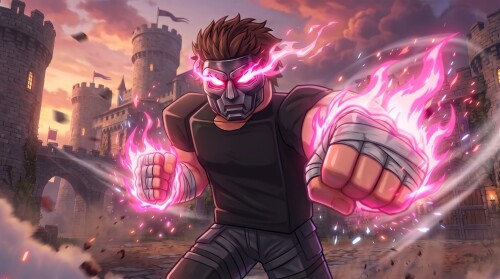
Recorded Half Punch fights show a consistent pattern: hits and collisions produce exaggerated ragdoll outcomes.
- A struck player is sent flying.
- Players slam each other, including jumping into the air and slamming down onto an opponent's head.
- Players get thrown or knocked around during grapples.
- A losing player may reset rather than continue the exchange.
Each of these shapes how a real exchange plays out. Because a hit can send someone flying, positions swing wildly — nobody stays planted in front of you for long. Because slams grow out of movement, what is above you matters as much as what is in front of you. And a knockdown is not the end: downed players have controls to get back up, so sending someone flying usually starts the next phase of the fight rather than finishing it.
Contact behaviors you can use in a fight
Half Punch shows its bindings on an on-screen controller panel, and that panel documents controller play only. The table pulls out the contact behaviors it covers and what each one does; the Half Punch controls guide has the complete panel, and punching technique has its own page at how to punch.
Data table
- Contact behavior
- Raise a hand
- Controller input
- Hold RT (right hand) or LT (left hand)
- What it does
- Lifts that hand, ready to swing.
- Contact behavior
- Hook / punch
- Controller input
- Tap RT or LT
- What it does
- Swings the raised right or left hand in a hooking punch.
- Contact behavior
- Jab
- Controller input
- Double-tap RT or LT
- What it does
- Throws a quick punch with that hand.
- Contact behavior
- High guard
- Controller input
- RT + LT together
- What it does
- Puts both hands up in front of your face.
- Contact behavior
- Kick
- Controller input
- X
- What it does
- Kicks with your leg.
- Contact behavior
- Let go of a grabbed arm
- Controller input
- Y + right stick
- What it does
- Releases a grabbed arm.
- Contact behavior
- Body-contact release
- Controller input
- Walk or run into the other player
- What it does
- Begins to let go of the arm through contact alone.
- Contact behavior
- Get up
- Controller input
- Hold a direction while on the ground
- What it does
- Brings you back to your feet after a knockdown.
- Contact behavior
- Ground flip
- Controller input
- Y while on the ground
- What it does
- Performs a left-right-left flip.
- Contact behavior
- Cartwheel
- Controller input
- Right stick while on the ground
- What it does
- Cartwheels from the ground.
- Contact behavior
- Respawn when down
- Controller input
- Down + a hook trigger, or D-pad up, while down
- What it does
- Respawns your character when you are down.
- Contact behavior
- Swipe hands
- Controller input
- D-pad left or right
- What it does
- Swipes your hands.
Striking, guarding and grappling
Your two hands work independently: hold a trigger to raise that hand, tap to swing it as a hook, or double-tap for a quick jab. The high guard — RT and LT together — stacks both hands in front of your face. Recorded fights show why that matters: players jump in and slam down onto an opponent's head, so contact genuinely arrives from above at face height — exactly where the high guard puts your hands.
Grapples are the same story from the other side. Recorded brawls show players being thrown or knocked around while tangled up, and the panel gives you explicit ways to release: Y together with the right stick lets go of a grabbed arm, and even walking or running into the other player begins to let go of the arm. The full technique has its own page at how to grab.
Movement, kicks and the ground game
A jumps, B (held) crouches and X kicks. Alone, these are movement; next to another player they become contact — recorded play shows a player jumping into the air and slamming down onto an opponent's head, which is ordinary movement turning into a fight action through the game's physics.
Getting hit means spending time on the ground, and the ground has its own controls. Hold a direction to get back on your feet. Y performs a left-right-left flip and the right stick cartwheels. When you are down and would rather leave the exchange entirely, the panel documents a respawn: hold down plus a hook trigger, or press D-pad up, while you are down. Recorded fights show the other exit too — a losing player resetting rather than continuing the exchange.
Climbing and wall movement
The rest of the panel is traversal, but it is the same hands-on body control. Hanging by one hand, you open the other to reach up and climb. On a wall, you hold the trigger of the arm that is gripping and use the right stick to pull yourself up or let go. X doubles as the wall run — a left-right-left flip along the wall — while on the ground the same button kicks. D-pad left and right swipe your hands. None of these are attacks, but all of them are contact behaviors: hands that grip, hold and release on your command, exactly the control you rely on in a brawl.
Practice on bots in a private server
The game's official description is direct about where to find bots: join a private server if you want to play with them. That makes a private server the natural rehearsal space for everything above — bots give you ragdoll bodies to raise hands at, hook, jab, guard against, kick, grapple and knock down before you take the same habits into public fights. The bots guide and the private server guide cover the setup.
One interface note while you are at it: the HUD menu at the top of the screen has four tabs — Aura, Settings, Upgrade and Invincible. The Upgrade tab is where the game's upgrades live, and the upgrades guide covers what you can improve there.
More Half Punch fighting guides
- The controls guide for the complete controller panel.
- How to punch and how to grab for the two core contact techniques.
- The PvP guide for taking this physics into fights against real players.
- The beginner guide if you are starting from scratch.
Related Guides
Half Punch Controls
Every controller binding on one page: move, look, punch, jab, guard, jump, kick, crouch, climb, flip, respawn and menu inputs.
How to Grab
Raise a hand by holding RT or LT, reach an opponent, and let go with Y plus the right stick.
PvP Guide: Getting Into a Fight
Where to find player-versus-player fights, how public servers work, and every action you can use once a brawl starts.
Private Server: How to Get In
What private servers are for, how to get into one, and the 7-player cap every Half Punch server shares.