How to Punch in Half Punch on Controller (and What Happens When It Lands)
Tap RT for a right hook, LT for a left hook, double-tap for a jab, and hold to raise your hands — plus what Half Punch's ragdoll physics do when a punch connects.
Quick answer
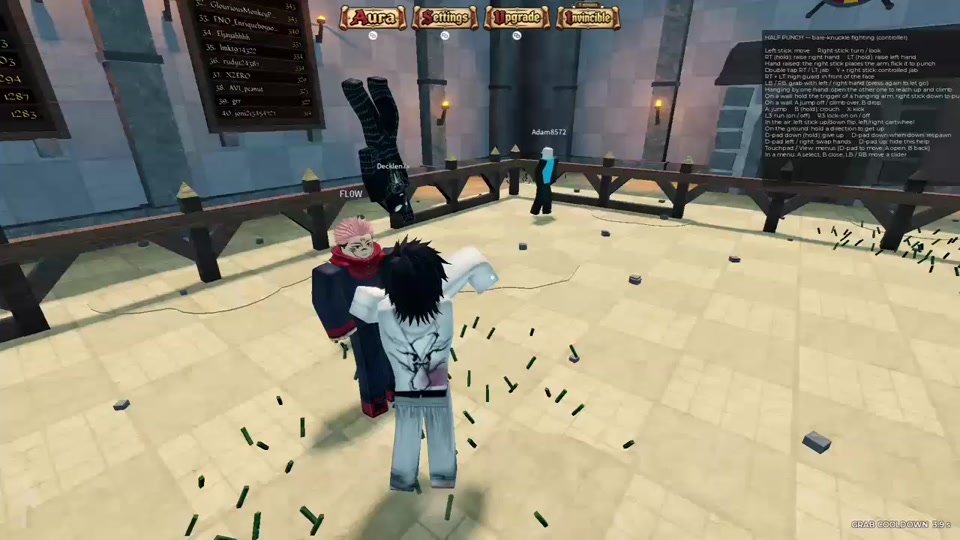
On controller, tap RT to throw a right hook and tap LT to throw a left hook. Double-tapping either trigger performs a jab, while holding a trigger raises that hand instead of striking. When a punch lands, it resolves inside Half Punch's ragdoll physics — one shared fight clip shows a hit sending the struck player flying.
Half Punch is a physics-based bare-knuckle fighting game inspired by Half Sword, where you use physics-based punches and movement to fight other players in ragdoll-style brawls. Two things follow from that design, and both matter here: the same triggers that throw punches also raise your hands when you hold them, and a punch that lands resolves through ragdoll physics — one shared clip shows the visible knockback a hit can produce.
Punch inputs on controller
The punch bindings below come from the on-screen controller control panel that Half Punch shows in-game. That panel documents controller inputs only — it does not list keyboard and mouse bindings.
| Input | Result |
|---|---|
| Tap RT | Right hook/punch |
| Tap LT | Left hook/punch |
| Double-tap RT or LT | Jab |
| Hold RT or LT | Raises that hand instead of striking |
| Hold RT + LT | High guard in front of the face |
The distinction to remember is tap versus hold. A tap throws the hook; holding the same trigger lifts that hand up instead. If you press RT or LT and your fighter only raises an arm, you are holding the trigger down — release it and tap to strike.
For the game's other controller bindings, the Half Punch controls guide is the full reference.
Raise a hand or guard instead of punching
The same two triggers position your arms when no punch is thrown. Holding RT raises your right hand, holding LT raises your left hand, and holding both at once puts up a high guard in front of your face. The inputs you punch with are also the inputs you use to keep your hands up between strikes.
One interaction worth knowing: walking or running into someone begins to let go of the arm. Grabbing and releasing arms work differently from punching — the Half Punch grab guide covers that side of arm control.
What happens when a punch lands
Punches land inside physics-based, ragdoll-style brawls, so a hit can produce visible ragdoll knockback — in one shared gameplay clip, a single hit sent the struck player flying.
In one shared gameplay clip from a Half Punch fight, a single hit sent the struck player flying — an example of the knockback a punch can produce, not a guaranteed result of every punch. The clip's caption sums it up as "bro went flying."
For how the fighting system fits together, see the Half Punch physics fighting guide, and for fighting other players specifically, see the Half Punch PvP guide.
More Half Punch guides
If you are just starting out, the Half Punch beginner guide is the broader starting point, and the Half Punch upgrades hub gathers the upgrade pages in one place.
Related Guides
Half Punch Controls
Every controller binding on one page: move, look, punch, jab, guard, jump, kick, crouch, climb, flip, respawn and menu inputs.
How to Grab
Raise a hand by holding RT or LT, reach an opponent, and let go with Y plus the right stick.
PvP Guide: Getting Into a Fight
Where to find player-versus-player fights, how public servers work, and every action you can use once a brawl starts.
Physics Fighting & Ragdolls
How ragdoll physics drive every hit: knockbacks, slams, grapple throws, downed states and the climbing and wall movement that comes with them.