Half Punch How to Grab: Raise a Hand and Let Go on Controller
Half Punch hand controls on controller: hold RT to raise your right hand, LT for the left, and Y + right stick to let go — plus how holding the triggers differs from tapping to punch. No button is labeled grab.
Quick answer
On controller, Half Punch has no button labeled grab: hold RT to raise your right hand, hold LT to raise your left hand, and press Y together with the right stick to let go. Punching runs through the same triggers with quicker inputs — a tap throws a right or left hook/punch, and a double-tap throws a jab.
- Raise right hand: hold RT
- Raise left hand: hold LT
- Let go: Y + right stick
- Hook/punch: tap RT (right) or LT (left)
- Jab: double-tap RT or LT
- High guard in front of the face: hold RT + LT together
Raising a hand: hold the trigger
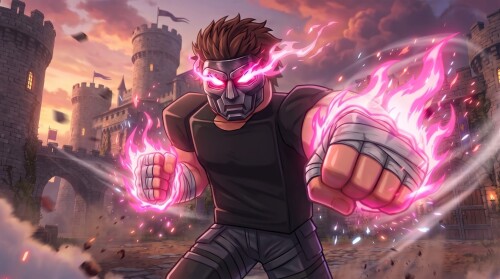
Half Punch has no single button labeled "grab". The reach that gets your hand toward someone starts with raising a hand, and raising is a hold, not a press: keep RT held and your right hand goes up; hold LT and the left hand does. The two hands are bound separately, so each side is under the control of its own trigger.
Holding both triggers at once is different again. RT + LT together raises a high guard in front of your face, so stacking the triggers gives you a defensive pose rather than a strike or a reach.
Letting go: Y + right stick
Release has its own binding on the same panel: Y + right stick is bound to "let go". Raising and releasing run on two different inputs — a trigger hold to raise the hand, and the Y plus right-stick combination to let go. Letting go has its own binding — Y + right stick — separate from the punch buttons; the panel also notes that walking or running into someone begins to let go of the arm.
How raising a hand differs from punching
The buttons overlap; the gesture is what changes. RT and LT are both the strike buttons and the raise buttons, depending on how you use them:
| Input | What it does |
|---|---|
| Hold RT | Raise your right hand |
| Hold LT | Raise your left hand |
| Y + right stick | Let go |
| Tap RT | Right hook/punch |
| Tap LT | Left hook/punch |
| Double-tap RT or LT | Jab |
| RT + LT together | High guard in front of the face |
A quick tap on RT or LT commits to a strike — a right or left hook — and double-tapping RT or LT throws a jab. Holding the same trigger instead keeps the hand raised, which is the reach you use to bring your hand toward someone; the release then comes from Y + right stick rather than from another press. In short: punches are short presses on the triggers, while raising a hand is holding a trigger — and the separate let-go input ends the hold.
Where these bindings come from
These inputs are documented on Half Punch's own on-screen controller panel, shown during gameplay under the header "HALF PUNCH – bare-knuckle fighting (controller)". The panel covers controller play, so treat every binding above as a controller input, and you can check any of them against the same panel in-game.
Movement, climbing and the rest of the panel's bindings are collected on the Half Punch controls page, and the striking side — hooks and jabs — is broken down further in how to punch. When you are ready to take both input sets into fights against real players, the Half Punch PvP guide is the next stop.
Related Guides
How to Punch on Controller
Tap RT or LT to punch, double-tap to jab, and hold to raise your hands — plus what happens when a punch lands.
Half Punch Controls
Every controller binding on one page: move, look, punch, jab, guard, jump, kick, crouch, climb, flip, respawn and menu inputs.
PvP Guide: Getting Into a Fight
Where to find player-versus-player fights, how public servers work, and every action you can use once a brawl starts.