Half Punch Beginner Guide: What It Is and How to Start Your First Fight
Half Punch is a physics-based Roblox fighting game inspired by Half Sword. This beginner guide covers choosing a public or private server for bots, the controller inputs for your first punch and jab, and the HUD tabs you see when you spawn.
Quick answer
Half Punch is a physics-based Roblox fighting game by The Big G Studio, inspired by Half Sword: players use physics-based punches and movement to fight each other in ragdoll-style brawls. To start your first fight, join a server, walk up to another fighter, hold RT or LT to raise a hand, then tap that trigger to punch — double-tap for a jab.
- Public servers host player-versus-player fights.
- Bots are tied to private servers, per the developer's own game description.
- On controller: hold RT/LT to raise your right/left hand, tap to punch, double-tap to jab.
What Half Punch is
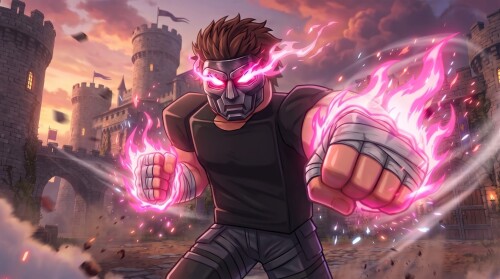
Half Punch is a fighting game on Roblox from The Big G Studio, openly inspired by Half Sword. Players use physics-based punches and movement to fight other players in ragdoll-style brawls. That physics basis shows up in a very practical place for a new player: the controls work hand by hand. You raise one of your character's hands, swing it with another input, and the swing comes out as a hook or punch from that hand. Your first fight is built almost entirely out of that raise-and-swing loop plus movement. If you want the broader picture of how physics shapes combat, there is a dedicated Half Punch physics fighting guide.
Where to fight: public servers or bots
Where you spawn decides who you fight. The developer's own game description puts one side of this choice in capitals — "JOIN A PRIVATE SERVER IF YOU WANT TO PLAY WITH BOTS."
Decision guide
Our Half Punch bots and private server pages cover both options in more detail.
The inputs for your first punch
The control setup documented for Half Punch comes from the game's own on-screen controller panel, and it is built around your two hands: RT drives the right hand, LT the left.
| Trigger input | What happens |
|---|---|
| Hold RT | Raise your right hand |
| Hold LT | Raise your left hand |
| Tap RT | Hook/punch with the right hand |
| Tap LT | Hook/punch with the left hand |
| Double-tap RT or LT | Jab |
The rhythm is hold, then tap. Holding a trigger lifts that hand into position; tapping the same trigger swings it into a hook or punch, and double-tapping performs a jab instead.
Getting into range uses the sticks on the same panel: the left stick moves your character and the right stick turns the camera, so you walk up to an opponent before the punching starts.
One scope note: this panel documents controller bindings only; keyboard and mouse bindings were not shown alongside it. For more on the game's controls, see the Half Punch controls page, and for the punching itself the how to punch guide goes into more depth.
The tabs you see when you spawn
Once you are in the game, the top of the HUD shows four menu tabs: Aura, Settings, Upgrade and Invincible. None of them are needed to throw your first punch — the documented punch inputs run entirely through the triggers — so knowing they are there is enough for a first session. When you are ready to develop your fighter beyond raw brawling, the upgrades guide and the auras guide are natural next reads.
Your first fight from start to finish
- Pick your battlefield. Join a public server for player-versus-player brawls, or a private server if you want to play with bots.
- Close the distance. Move with the left stick and steer the camera with the right stick until you are within reach of another fighter.
- Raise a hand. Hold RT for the right hand or LT for the left.
- Swing. Tap the same trigger for a hook or punch with that hand; double-tap it for a jab.
- Read the result. A clean input produces a hook or punch from the matching hand — keep the hold-and-tap rhythm going and use the sticks to stay in range between swings.
Once a few of those swings have connected, the Half Punch PvP guide covers fighting other players in more depth.
Related Guides
Half Punch Controls
Every controller binding on one page: move, look, punch, jab, guard, jump, kick, crouch, climb, flip, respawn and menu inputs.
PvP Guide: Getting Into a Fight
Where to find player-versus-player fights, how public servers work, and every action you can use once a brawl starts.
Playing Against Bots
How to play against bots instead of real players, including why a private server is required for bot matches.
Physics Fighting & Ragdolls
How ragdoll physics drive every hit: knockbacks, slams, grapple throws, downed states and the climbing and wall movement that comes with them.